Talk messy. Read clean.
Openbroca turns natural speech into clear, polished writing in any Mac app
Free · macOS 15+
Launch plan
Speak naturally — the polished note appears here.
A few clean settings.
That’s the whole setup.
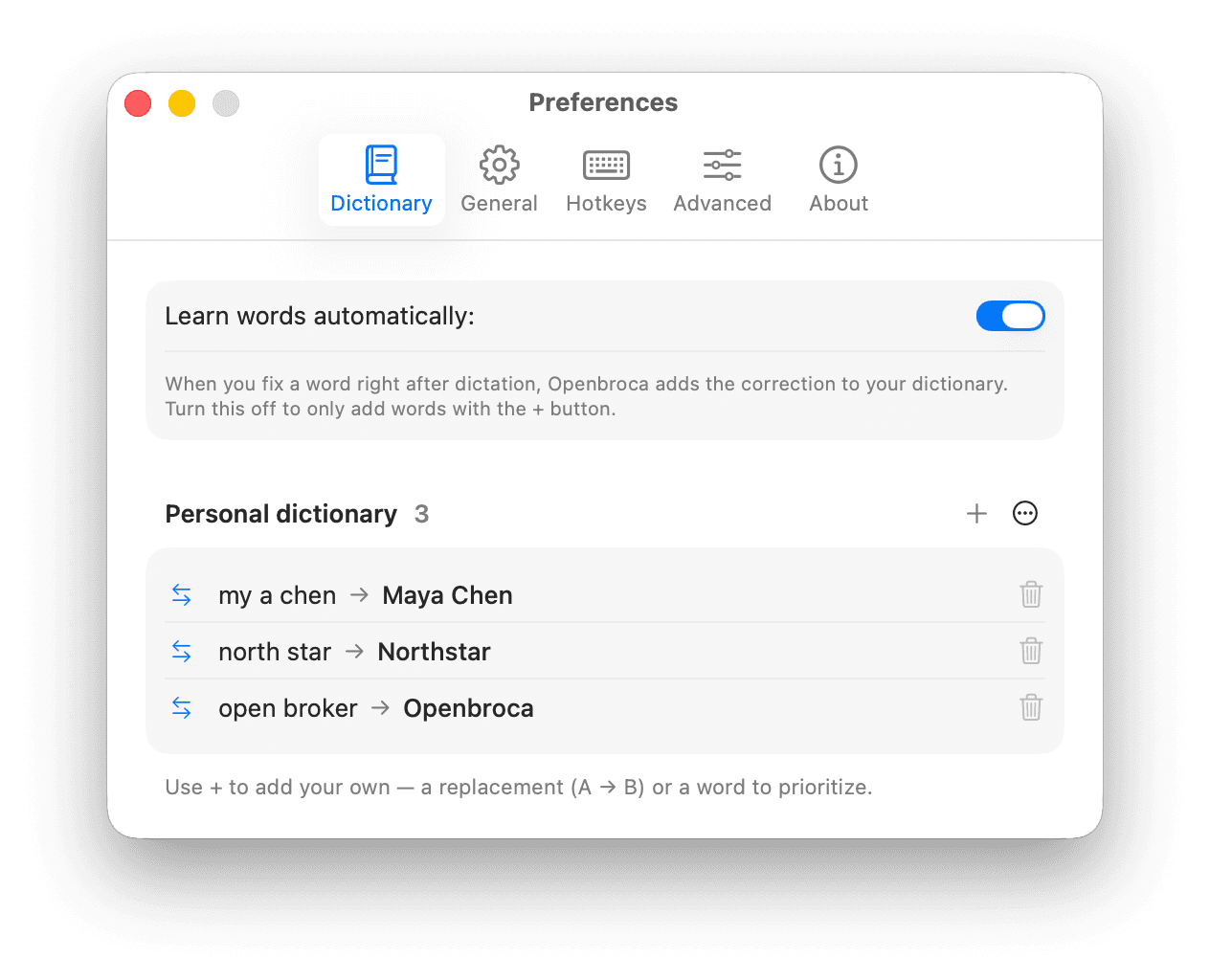
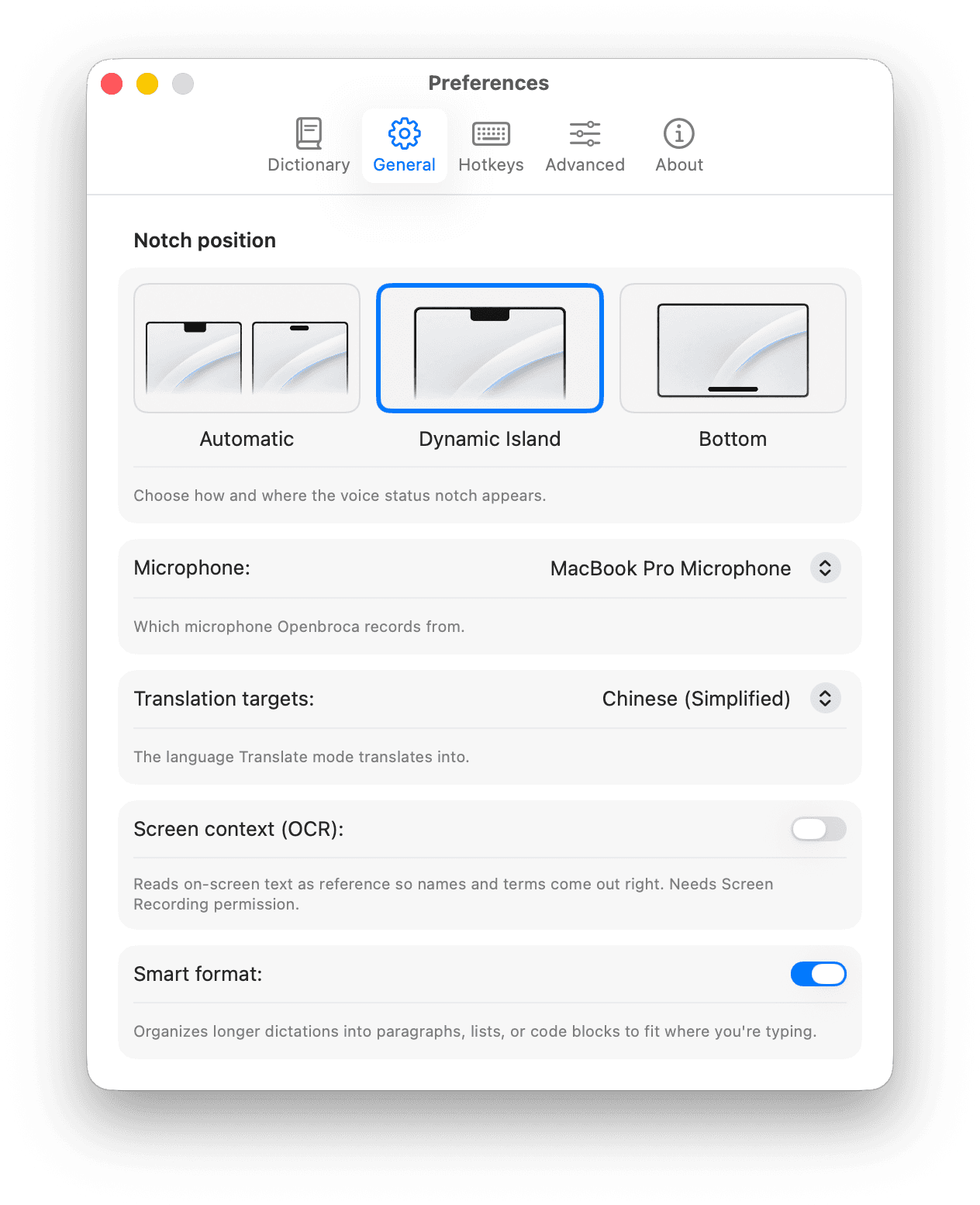
No complicated setup. A short Preferences window teaches Openbroca your vocabulary, formatting choices, screen context, and preferred shortcuts.
Your vocabulary. Add names, jargon, and replacements once, and Openbroca writes them your way every time after — and the fixes you make right after dictation can be learned automatically.
The controls that shape it. Smart Format fits longer thoughts to where you're typing, and Screen Context reads what's on screen so names and terms come out right — with your notch, microphone, and translation target all in one place.
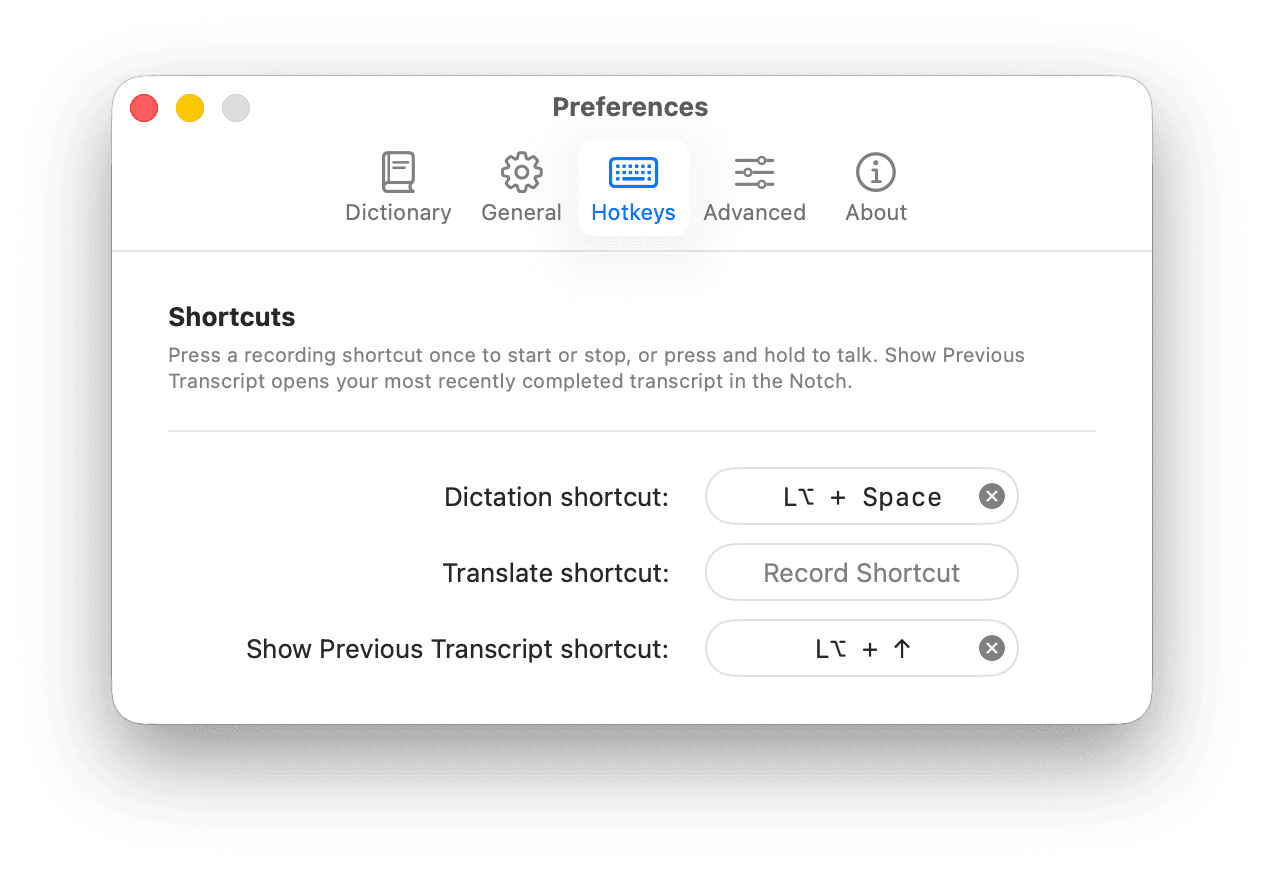
One key, hands-free. Press your shortcut once to start or stop, or hold to talk — ⌥ Space out of the box. Recall your last transcript in the notch without ever leaving the keyboard.
Speak your language.
Be understood in 28.
Dictate naturally in English or Chinese, and Openbroca translates the whole thought into any of 28 target languages.
Works everywhere
you write.
Openbroca works across all the apps you use on your Mac. Speak naturally, and your words instantly become polished writing wherever you work.
Frequently asked questions
What is Openbroca?
Openbroca is a native Swift voice-to-text and talk-to-translate app for macOS. Press your shortcut and speak naturally; it turns English or Chinese dictation into polished text in the field you are using, with copy fallback when direct insertion is unavailable. Smart Format, Screen Context, and a personal dictionary help shape the result. It is a dictation and translation tool, not a general AI assistant, and the current app is a separate codebase from the earlier Electron-based Openbroca Origin project.
Which languages are supported?
The current app supports dictation in English and Chinese, plus translation into 28 target languages.
Does Openbroca work offline?
No. Speech recognition and refinement use cloud services, so an internet connection is required.
Why does the app request permissions?
Microphone access captures speech, Accessibility places text into the focused field, and Screen Recording enables optional Screen Context OCR.
What happens if text cannot be inserted?
Openbroca falls back to copying the result. You can also retry a failed recording or recall the previous transcript.
What Mac does it require?
Openbroca is a universal Apple silicon and Intel build that requires macOS 15 or later.
Voice that types the way you write.Put Openbroca on your Mac today.
Universal Apple silicon + Intel build